Constructing a synthetic call in IB Strategy Builder
Audio Brief
Show transcript
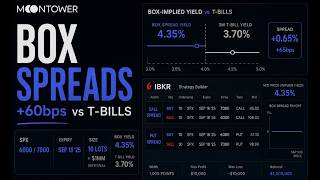
This episode explores the specific mechanics of adding complex options strategies to a Quote Panel within a professional trading platform.
There are three key takeaways for traders navigating these interfaces. First, using the Strategy Builder allows you to construct multi-leg positions and track them as a single unit. Second, moving these strategies to a Quote Panel is essential for real-time price monitoring. Third, utilizing adjacent tools like the Profile tab helps visualize risk before execution.
The interface demonstrates a critical workflow for professional traders. Instead of buying single calls or puts, users can piece together spreads or straddles leg-by-leg. By clicking Add to Quote Panel, you move a theoretical strategy into a live watchlist. This lets you track the bid-ask spread of the entire combined strategy as one line item, rather than monitoring individual legs separately.
Furthermore, the visibility of the Profile tab suggests a best practice of verifying risk and reward graphs immediately after building a position. Advanced features like the Make Delta Neutral button highlight how software can automate hedging calculations to remove directional risk.
Ultimately, mastering these workspace transitions streamlines the path from strategy selection to precise order entry.
Episode Overview
- This visual snippet demonstrates the specific interface mechanics of adding an options strategy to a "Quote Panel" within a professional trading platform.
- The brief sequence captures the transition from analyzing an options chain to preparing a trade for execution or monitoring, specifically focusing on the "Strategy Builder" tool.
- It is relevant for traders learning to navigate complex broker interfaces (likely Interactive Brokers TWS) who need to understand how to move from strategy selection to order entry.
Key Concepts
- The Strategy Builder Workflow: The interface shown is designed to let traders piece together multi-leg option strategies (like spreads or straddles) leg-by-leg. Rather than just buying a single call or put, the user is building a complex position.
- Quote Panel Utility: The action of clicking "Add to Quote Panel" is significant because it moves the theoretical strategy from a builder window into a watchlist or monitoring area. This allows a trader to track the price of the entire combined strategy in real-time, rather than tracking individual legs separately.
- Data Visualization in Trading: The screen displays a dense array of data points—implied volatility, delta, open interest, and bid/ask spreads. Understanding this density is crucial for professional traders who need all Greek values visible simultaneously to make informed decisions about pricing and risk.
Quotes
- At 0:00 - "Add to Quote Panel" - This button click is the central action of the clip, demonstrating how to save a built strategy for monitoring without immediately executing the trade.
- At 0:15 - "Profile" - The visibility of the "Profile" tab next to the Quote Panel suggests that traders can immediately view the risk/reward graph (P&L at expiration) for the strategy they just built.
- At 0:24 - "Make Delta Neutral" - Visible in the top menu, this option highlights advanced functionality where the software can automatically calculate the necessary stock position to hedge the options strategy, removing directional risk.
Takeaways
- Use the "Add to Quote Panel" feature to monitor complex strategies as a single line item; this simplifies tracking the bid/ask spread of a multi-leg spread compared to watching two separate options.
- Before executing a trade, utilize the "Profile" or "Payoff" features often found adjacent to the builder to visually confirm your max loss and break-even points match your thesis.
- When organizing your trading workspace, ensure your Option Chain and Strategy Builder are linked so that selecting a strike price automatically populates the builder, streamlining the workflow and reducing errors.