921: NPUs vs GPUs vs CPUs for Local AI Workloads — with Dell’s Ish Shah and Shirish Gupta

Audio Brief
Show transcript
This episode covers optimizing data science workflows by leveraging Windows PCs with new AI hardware and adopting a hybrid compute strategy for artificial intelligence workloads.
There are four key takeaways from this discussion. First, the Windows Subsystem for Linux, or WSL2, combines the best of both Windows and Linux environments for developers. Second, evolving AI hardware, particularly Neural Processing Units, or NPUs, enables powerful and efficient on-device AI. Third, speed, cost, security, and connectivity are primary drivers for local AI processing. Finally, the future of AI computation is a hybrid model, intelligently routing tasks between local devices, on-premises servers, and the cloud.
WSL2 allows a full Linux kernel to run natively on a Windows machine. This enables data scientists to access both enterprise Windows applications and robust Linux-based development tools on a single device, maximizing productivity.
AI hardware is evolving beyond CPUs and GPUs to include NPUs. These specialized units excel at power efficient, on-device AI tasks, making them ideal for sustained, low-power operations. New workstations can now run massive, cloud quality AI models locally.
Running AI workloads locally offers distinct advantages over cloud execution. Key drivers include speed, providing low latency for rapid prototyping; cost, avoiding recurring cloud fees; enhanced security and privacy by keeping data on-device; and connectivity, enabling offline capabilities. Software solutions like Dell Pro AI Studio abstract hardware complexity, drastically reducing deployment time.
The future of AI computation is hybrid, where workloads are dynamically routed to the most optimal engine. This means intelligently choosing between local PCs, on-prem servers, or cloud environments based on task requirements. This approach ensures maximum efficiency and flexibility.
Ultimately, the evolving landscape of AI compute demands a strategic and flexible approach, viewing computation as a valuable and finite resource.
Episode Overview
- This episode features Dell experts Ishan Shah and Shirish Gupta discussing the monumental shift of AI workloads from the cloud to local PCs, driven by powerful new hardware.
- The conversation demystifies the roles of different processors (CPUs, GPUs, and NPUs), highlighting the NPU's efficiency (performance-per-watt) as a key enabler for on-device AI.
- The guests outline a new tiered landscape of "AI PCs" and explore the practical benefits of local AI, including privacy, cost savings, low latency, and offline functionality.
- Looking forward, the discussion covers the future of hybrid AI, developer tools that simplify local deployment, and the upcoming Windows 10 end-of-life as a major catalyst for hardware upgrades.
Key Concepts
- On-Device Supercomputing: New hardware, including discrete NPUs, now allows massive Large Language Models (over 100 billion parameters) to run directly on laptops, a task previously reserved for cloud servers.
- CPU vs. GPU vs. NPU Roles: CPUs handle general computing, GPUs provide raw, scalable power for the most demanding AI tasks, and NPUs are optimized for energy efficiency (performance-per-watt), making them ideal for sustained AI workloads on battery-powered devices.
- The AI PC Hierarchy: A new market segmentation is emerging for personal computers, categorized as Essential (basic OS AI features), Advanced (with 40+ TOPs for features like Copilot+), and High-Performance (with discrete GPUs/NPUs for developers and data scientists).
- Hybrid AI as the Future: The optimal strategy is not to choose between cloud and local, but to use a hybrid approach where workloads are intelligently routed to the right compute engine (local PC, on-prem server, or cloud) based on factors like privacy, cost, latency, and performance needs.
- Drivers for Local AI: Key motivations for moving AI processing on-device include enhanced data privacy and security, reduced cloud computing costs, lower latency for real-time applications, and the ability for applications to function offline.
- Developer Simplification: Tools like Dell AI Studio are standardizing on APIs like OpenAI's, allowing developers to switch AI workloads from a cloud endpoint to a local machine with a single line of code.
- Industry-Wide Catalysts: The convergence of more efficient AI models and more powerful local hardware (like Intel's Lunar Lake) is accelerating the shift to on-device AI, with the end-of-life for Windows 10 acting as a major trigger for a mass hardware refresh.
Quotes
- At 0:06 - "Today I've got not one but two guests for you named Ish and Shirish. I am not making that up." - Host Jon Krohn humorously introduces his two guests from Dell, highlighting the similarity of their names.
- At 2:31 - "I like to joke that Shirish is the evolved Pokemon version of Ish, and I think that that's true for pretty much everyone that I work with." - Ishan explains his role involves working with highly intelligent colleagues, using a pop-culture analogy to praise Shirish's expertise.
- At 19:57 - "What's incredible about it is that we could also run a 109 billion parameter Llama scout speculative decoding... FP16 on this card." - Shirish describes the groundbreaking capability of the new discrete NPU, which can handle models previously thought to be exclusive to cloud servers.
- At 21:38 - "Both the models getting smaller and the hardware getting more capable. Like those two things are converging on each other." - Ishan identifies the two parallel trends—advancements in model optimization and hardware power—that are driving the on-device AI revolution.
- At 24:15 - "The differentiator for NPUs is performance per watt." - Shirish clearly defines the core value proposition of an NPU, distinguishing its focus on efficiency from a GPU's focus on raw power.
- At 29:21 - "I could classify devices into three categories. Right, you have the essential AI PCs... then you have the slightly more advanced AI PCs... and then the third one is your high-performance PCs." - Shirish provides a framework for understanding the new landscape of AI-capable computers.
- At 44:00 - "You can just make a quick one-line configuration change, pointed to the local server on a Dell machine, and you're done. It is now running on a local model that's running on your device accelerator." - Shirish explains how Dell AI Studio simplifies the process for developers to switch AI workloads from the cloud to a local PC.
- At 45:14 - "Offline mode comes to mind, right? Like if you want your AI-based application to continue working even when the person's on an airplane and has a lousy connection, guess what? You're going to want to run that workload locally." - Ishan provides a clear, practical example of why running AI models on-device is beneficial for user experience.
- At 46:19 - "On the back end, the user doesn't care. Is it going up to the cloud? Is it going down to my silicon? The user literally doesn't care." - Ishan highlights that the goal of hybrid AI is to create a seamless experience where the system intelligently chooses the best compute location.
- At 57:05 - "You want to be able to run the right workload on the right compute engine at the right time." - Shirish concisely summarizes the core principle of a hybrid AI strategy, which focuses on optimizing workload placement.
- At 1:03:38 - "Do not let this deadline pass you by... This is not a selfishly motivated thing... when operating systems age out, there is a reason they're aging out." - Ishan urges listeners to take the upcoming end-of-life for Windows 10 seriously as a critical moment to upgrade hardware.
Takeaways
- Prioritize hardware with dedicated AI accelerators (NPUs or discrete GPUs) in your next purchase to ensure your device remains capable and relevant as AI becomes deeply integrated into software.
- Select the right tool for the job: use GPUs for maximum-performance tasks and model training, but leverage NPUs for efficient, all-day AI assistance on laptops and other mobile devices.
- Evaluate AI workloads on a case-by-case basis to determine the best execution venue, considering local processing for sensitive data, low-latency needs, and offline access.
- For developers, utilize tools with standardized APIs to build flexible applications that can easily redirect AI workloads between the cloud and local hardware without significant code changes.
- Design applications with on-device AI to create more resilient and reliable user experiences that are not dependent on a constant internet connection.
- Use the impending end-of-life for Windows 10 as a strategic trigger for an organization-wide hardware refresh, moving to modern, secure, and AI-ready PCs.
- When buying a new computer, assess your needs against the new AI PC tiers (Essential, Advanced, High-Performance) to avoid over- or under-investing in processing power.
More from Super Data Science: ML & AI Podcast with Jon Krohn

931: Boost Your Profits with Mathematical Optimization, feat. Jerry Yurchisin
Oct 13, 2025
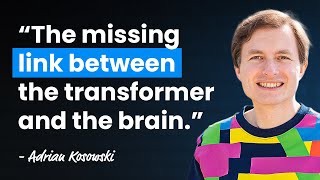
929: Dragon Hatchling: The Missing Link Between Transformers and the Brain — with Adrian Kosowski
Oct 06, 2025
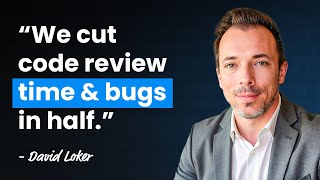
927: Automating Code Review with AI, feat. CodeRabbit’s David Loker
Sep 29, 2025

925: AI, Automation and the Future of Work — with Oxford’s Prof. Carl Benedikt Frey
Sep 22, 2025